
Freya

Squarespace template

$110

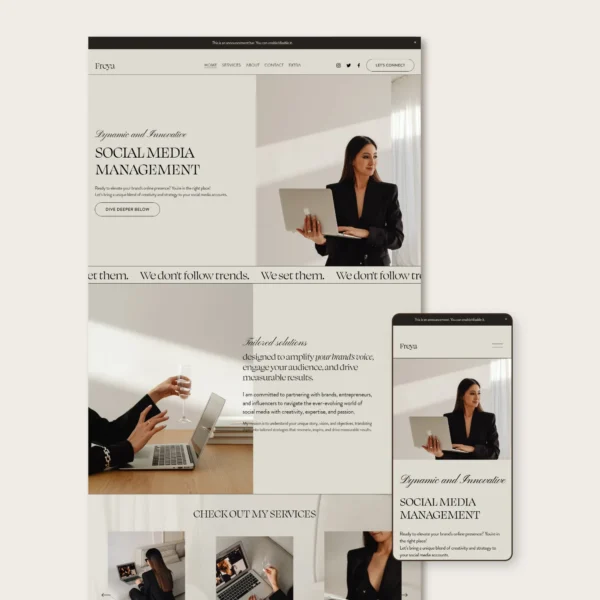
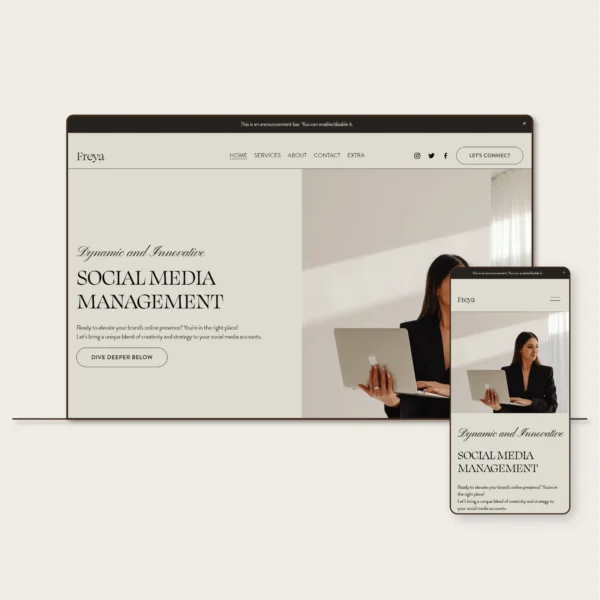
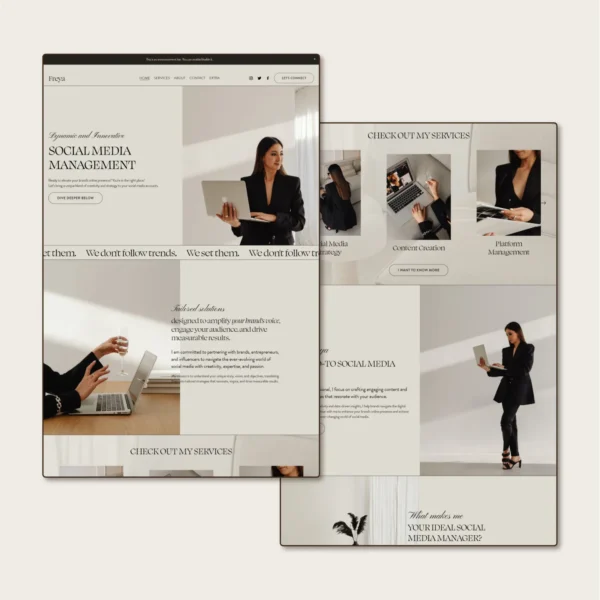
Freya is a modern, editorial Squarespace template created with social media managers in mind. It gives you a professionally designed starting point for showcasing your services, expertise, and approach, with plenty of room to customize the website to reflect your own brand and creative business.

  • Social media managers
  • Social media strategists
  • Content creators
  • Content strategists
  • Digital marketing professionals
  • Creative service providers

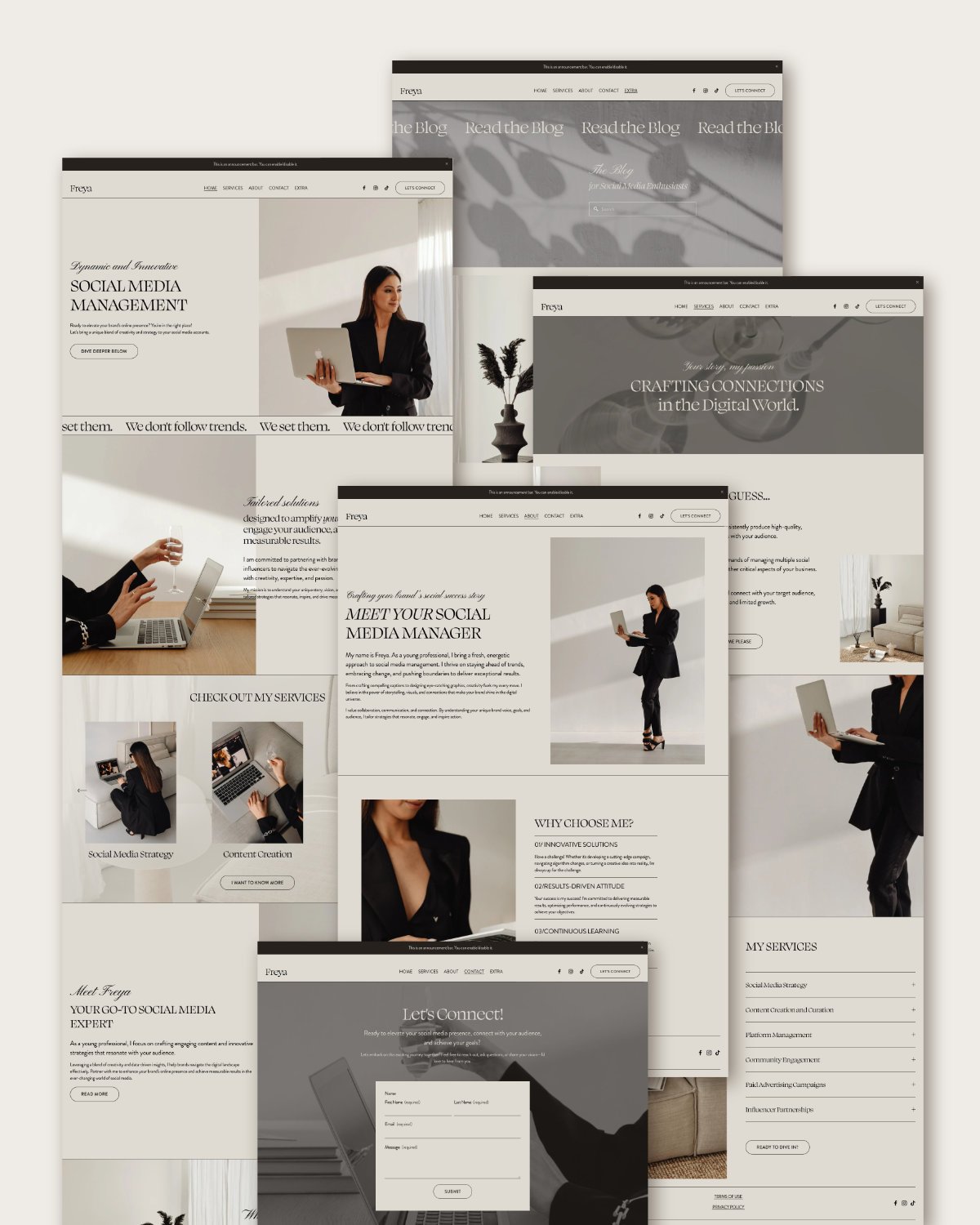
  • Home page
  • About page
  • Services page
  • Blog & blog post layout
  • Contact page
  • FAQ page
  • 404 page
  • Privacy policy page*
  • Terms of use page*
  • +1 bonus: BIO page for social media
  • Setup guide

*The content of these pages are not included you can insert your own Privacy policy and Terms of Use. 
Step-by-step setup guide

Shows you how to customize your template and work with the parts of Squarespace you'll actually need.

6-month Squarespace trial

Take your time customizing your website before it goes live. You'll only need a paid Squarespace plan when you're ready to publish.

6 months of email support

If you get stuck while customizing your website, you can email me for help throughout your trial.

Description

No blank pages to stare at.

Your template already comes with the pages and sections in place, plus sample content to give you an idea of what could go where.
Home page
About page
Services page
Blog & blog post layout
Contact page
FAQ page
404 page
Make it truly yours

Your website doesn’t have to look like the demo.

Colors, fonts, images, copy, pages and sections can all be changed to fit your business and your style.
Stay close to the original design if you love it, or change it as much as you want. You’re not locked into the version you see here.
how it works

What happens after you buy?

01

Get your template

Within 2 business days of your purchase, you’ll receive an invitation from Squarespace to your new website.
02

Customize your website

Follow the setup guide to replace the demo content and adjust the design to fit your business.
03

Publish when you’re ready

Choose your Squarespace plan, connect your domain and publish your website when everything is ready.
IS THIS FOR YOU?

A template makes sense if...

You want to build your website yourself and have control over it after launch.

You want a professional starting point, and you're happy to put some of your own time into customizing it.

You'd rather know how to manage your own website than depend on someone else every time you want to make a change.

If you're looking for someone to take care of the whole website for you, you'll probably be better off with a custom web design service.

From people who already built their website

with a Pixandcode template
So thankful to Csilla for creating this website template, it’s made creating my own private practice website so much easier. The template is professional and well thought out with very easy to use instructions. Csilla’s customer service has been amazing; Csilla is quick to respond to provide helpful assistance. I would definitely recommend Csilla and her products
-JordynAshe-
You could not ask for a more lovely person to work with than Csilla. Her workmanship is wonderful. She is also helpful and so friendly. I love my item. Thank you Csilla! :)
-CariAnne-
Such a beautiful, professional, fresh and thoughtfully designed template! This saved me hours of work on my website and turned out better than anything I could do on my own. Csilla was gracious enough to answer all of my questions with super easy directions. Highly recommend.
-Treina-
Very fast and smooth installation of the beautiful template and easy to change it to your own liking! Love it!
-Mirella-
Gorgeous template! Highly recommend. Exceptional service.
-Tara-

Frequently Asked Questions

Of course! You can easily change the colour palette globally, or if you want to adjust the colour of individual elements, that’s also possible. Font modifications are supported as well. Some templates include custom cursive fonts, which I added through custom code. if you’d like to change or remove them, just message me, and I’ll take care of it.

Absolutely. You can easily add, delete, or duplicate pages to suit your needs.

Yes! You can add, delete, or duplicate sections and rearrange them easily within Squarespace's drag-and-drop editor.

Yes, you can remove the Blog section if it’s not needed. Alternatively, you can disable it for now if you may want to use it in the future.

Yes! The template will appear as a new website in your Squarespace account, and you can connect your existing domain to it.

Unfortunately, subscriptions cannot be transferred between websites, even within the same account. You can have multiple websites on the same account, but each website requires its own subscription and domain setup. Domains can be disconnected and reconnected to a new website, but subscription plans cannot be transferred.

Unfortunatelly no, the template will appear as a new website in your Squarespace account.

Yes! You can add ecommerce functionality to your site. To do this, you’ll need at least a Business subscription plan.